
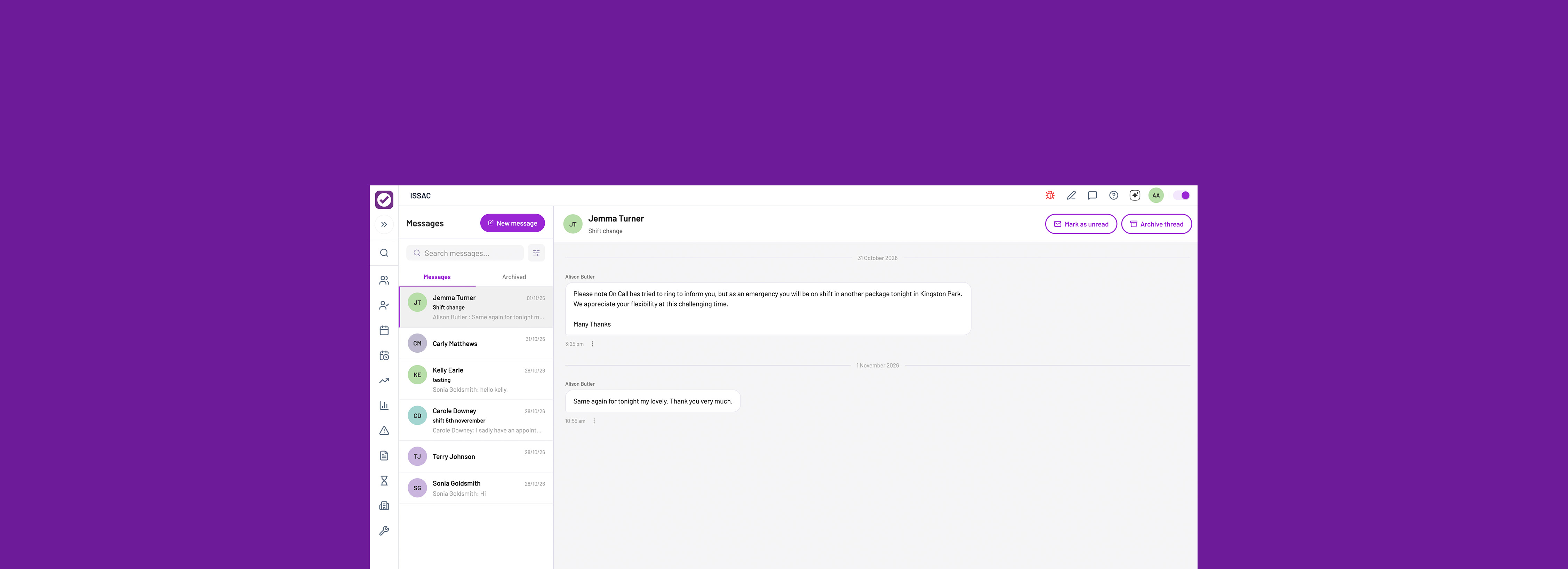
PASS (by everyLIFE Technologies) is a market-leading digital care management platform used across the UK health and social care sector. It replaces traditional paper records with a secure, cloud-based system to help home care (domiciliary), residential care homes, supported living, and complex care providers manage their daily operations.
UI
UX
Two-way messaging to facilitate secure, real-time communication between office staff and care workers. The primary goal was to provide a GDPR-compliant and auditable alternative to external messaging apps like WhatsApp or Telegram.
The feature had long been requested by customers with 50 Salesforce cases across 44 unique customers. There was also a competitor threat, with 2 rival companies already delivering the feature.
Through a combination of feedback cases and customer sessions we built a strong picture of what the feature should and shouldn’t do.
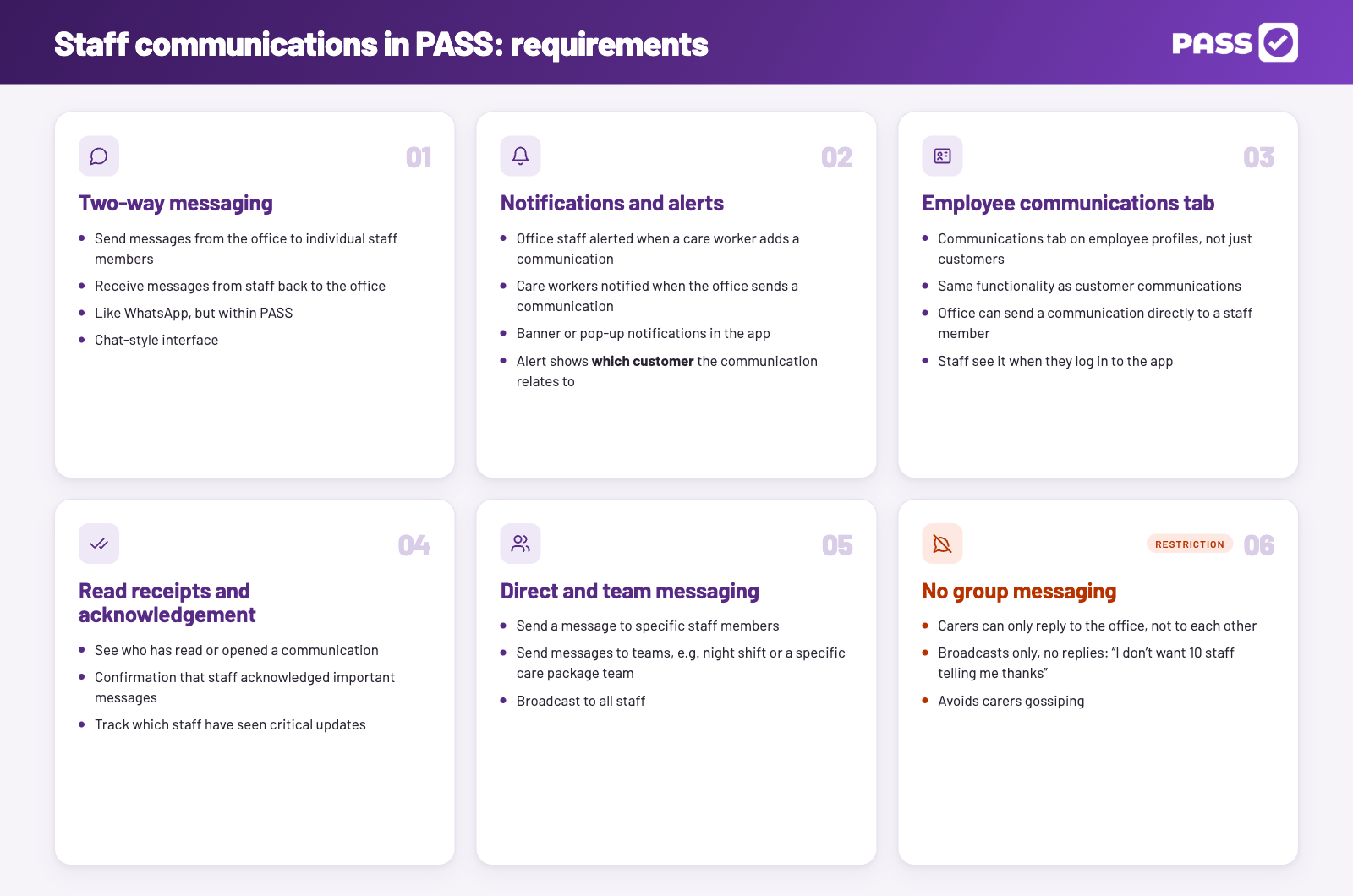
Another important theme was CQC compliance. Offices wanted evidence of conversations, care workers using external services like WhatsApp make this difficult.
We created a feature request matrix to identify coverage and gaps.
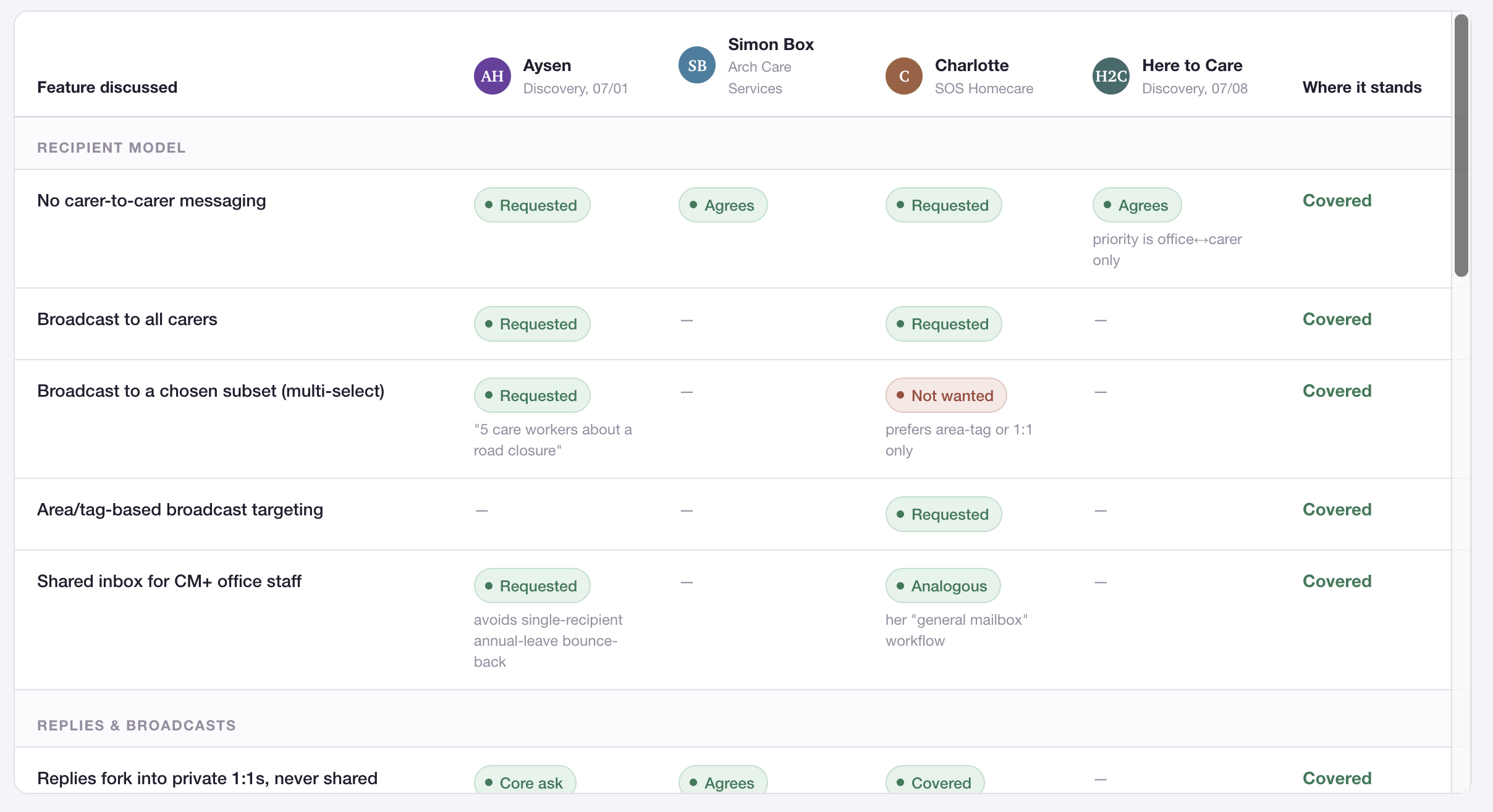
Reviewing the core themes we listed the problems that needed solving:
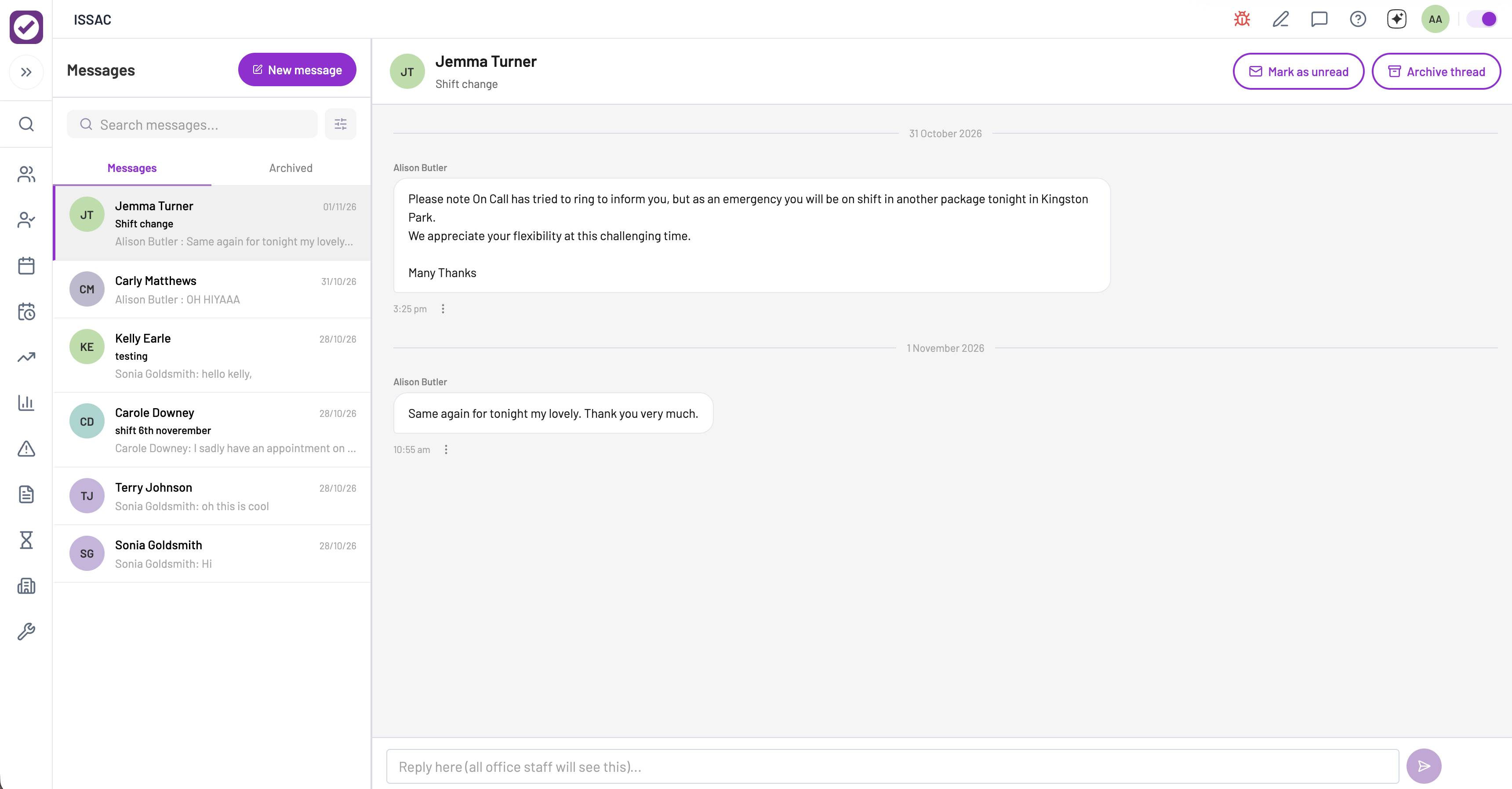
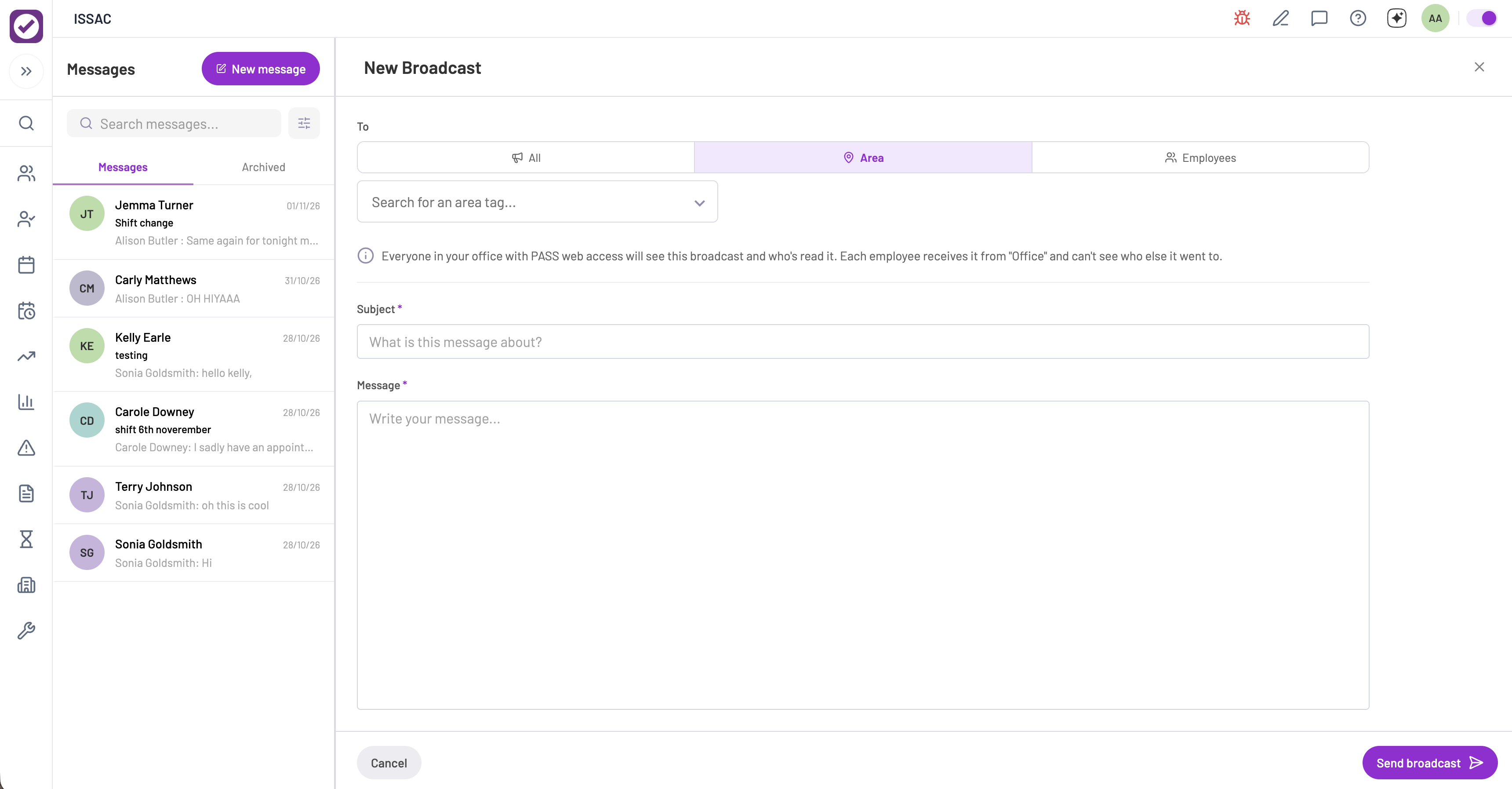
We wanted a messaging feature that followed standard conventions of popular messaging services so users would feel familiar and comfortable using it. The page consisted of a sidebar of threads displaying the latest messages, and a main area showing the thread that’s been viewed. A clear call to action for messaging an employee, or sending out a broadcast, was positioned top left of the page.
Broadcasts could be sent to groups or teams of staff members. We provided three options, sent out to all, some, or by team (grouped by area). Read receipts could be viewed across individual or broadcast threads. The receipt showed a message was both delivered and read.
The Messaging menu item was added to the main menu, separate from customer communications.
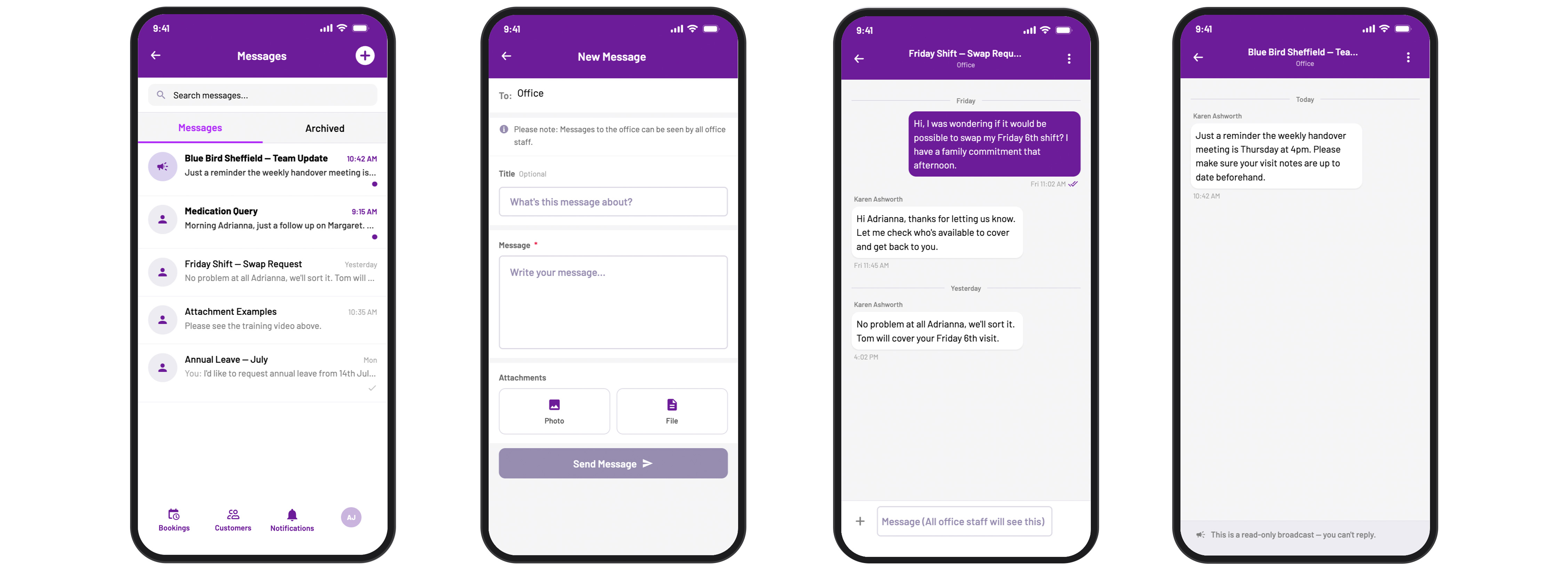
Similar to desktop we wanted to follow standard conventions so users would feel comfortable using the feature. The screen consisted of a list of threads, with those who have unread messages or replies at the top. One-to-one messages and broadcasts were identified by their own icon. Like web, messages have read receipts so a care worker knows if it has been sent and read (or not). Messages can be edited or deleted however there are time limits on these options.
The messaging feature is accessible via the Accounts screen. There is an update to move Messages to the footer tabs for more visibility. The maximum menu items for native is five so the notifications screen will be moved to the header and be replaced by Messages.
Since release feedback has mostly been positive:
There have been some concerns around message visibility in the office. Currently, it’s unclear that office messages are a shared inbox. A customer has highlighted scenarios where a member of staff may want to communicate privately with a specific manager or supervisor about a sensitive matter, e.g. welfare or wellbeing concerns, or personal issues. We addressed this quickly with informative text when the user initiates or replies to a message.
Concerns around messages of a sensitive matter may result in a private messaging feature. More feedback is needed for this to be considered.