
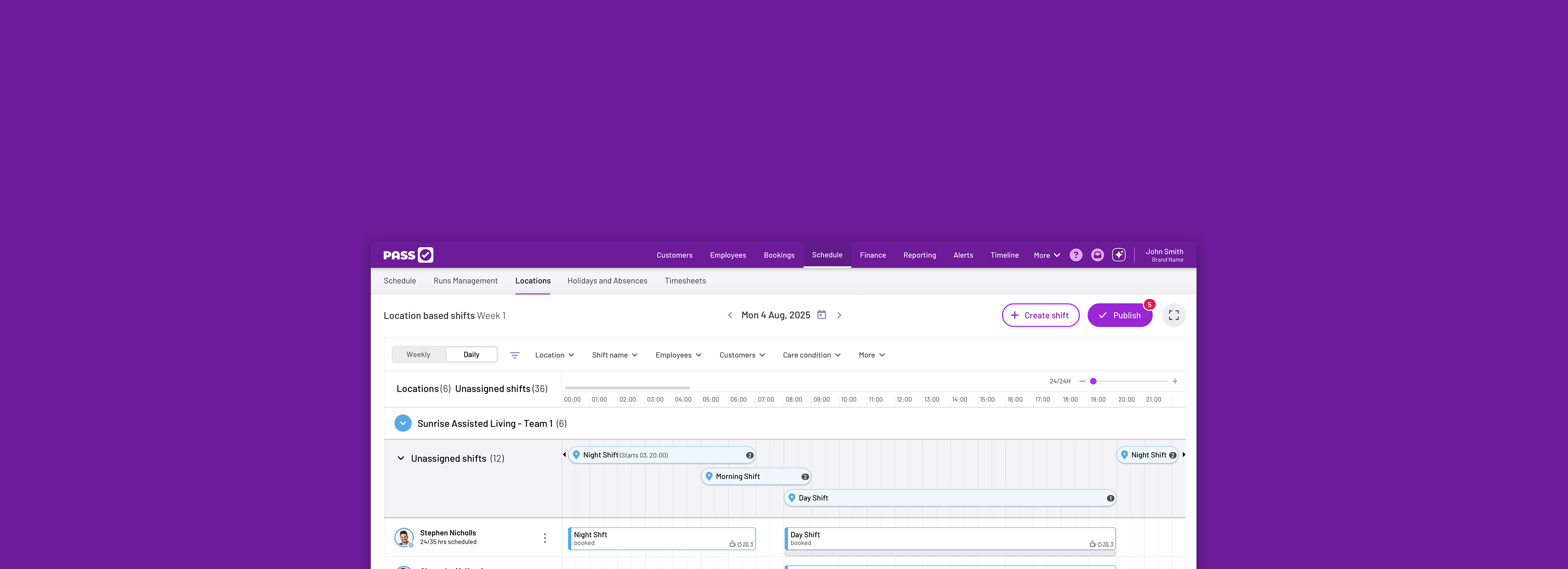
PASS (by everyLIFE Technologies) is a market-leading digital care management platform used across the UK health and social care sector. It replaces traditional paper records with a secure, cloud-based system to help home care (domiciliary), residential care homes, supported living, and complex care providers manage their daily operations.
UI
UX
The majority of PASS customers are in the domiciliary care setting, where employees deliver care across short visits.
Many care business’ specialise in supported living, where care is carried out in a shared housing or residential setting, and can be delivered to multiple service users.
PASS’ roster is optimised for domiciliary care, where a user can schedule care to an individual service user. Supported living settings may require one carer to two or three service users. This is where the product doesn’t fulfil the requirement.
With limited knowledge of the supported living setting we reached out to customers and prospects to organise discovery sessions.
We put together a comprehensive list of questions covering the full workflow for scheduling supported living clients. The main topics included:
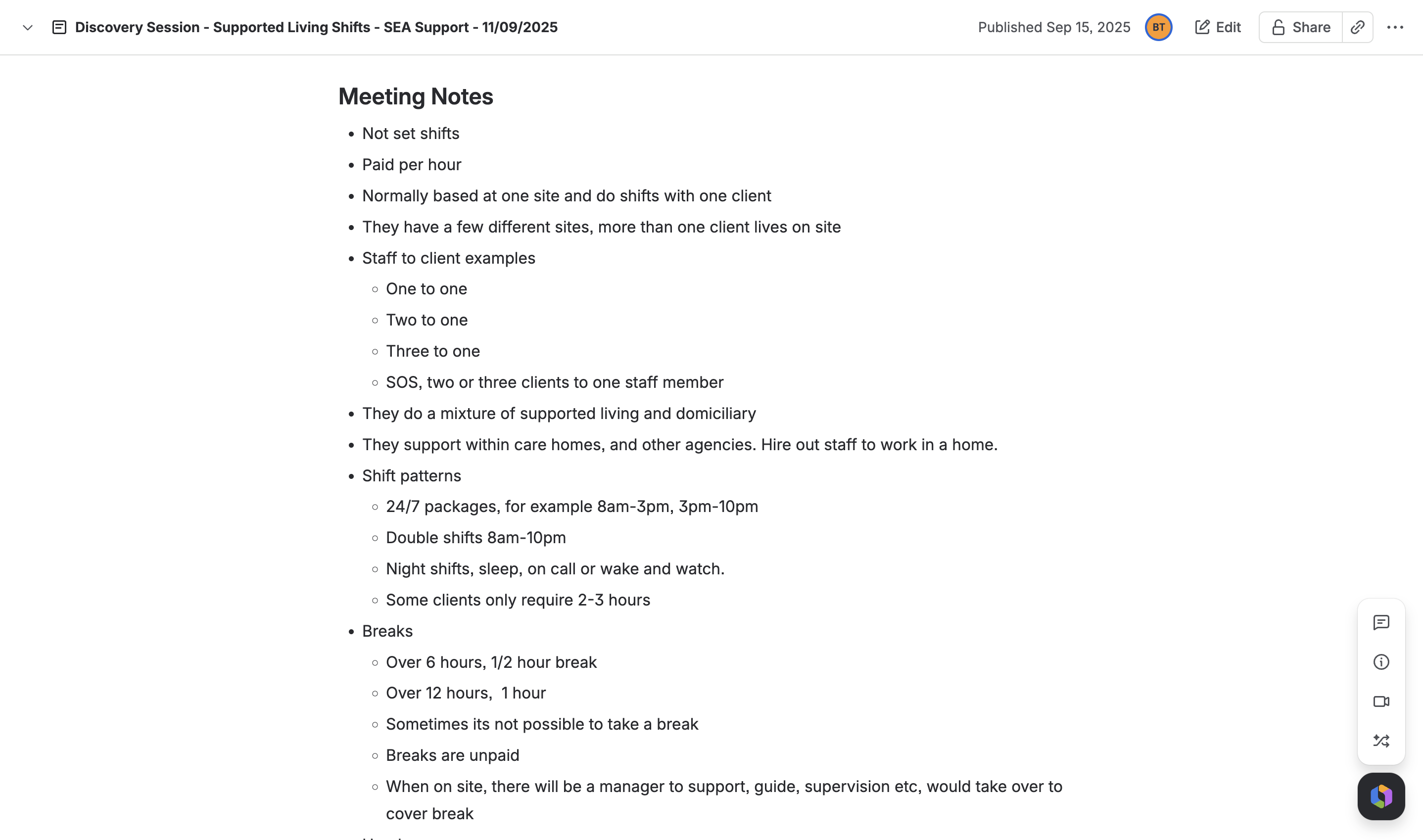
We interviewed multiple customers to get a broad view of how this setting operates. Key findings included:
The discovery sessions revealed key problems that needed addressing:
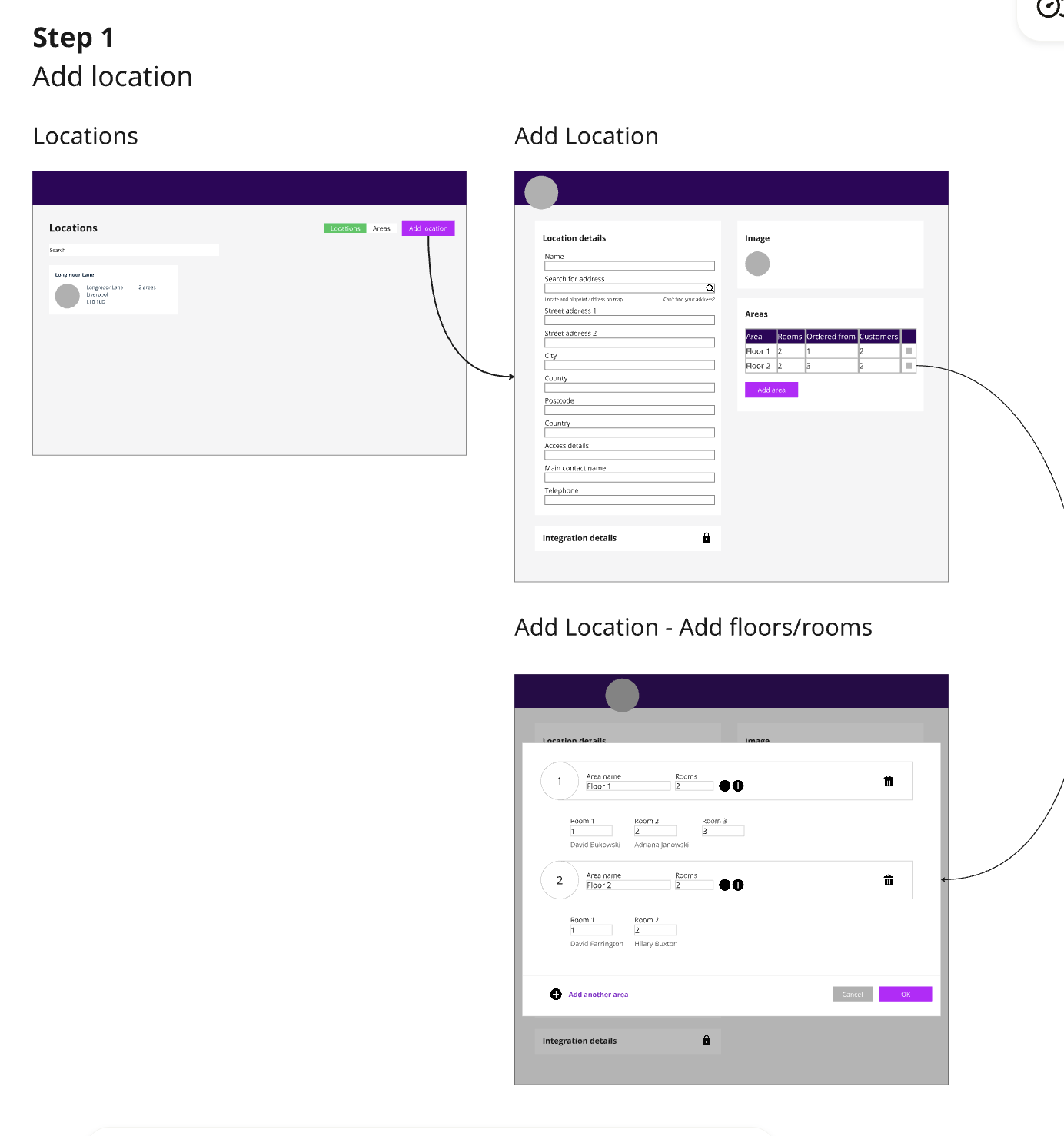
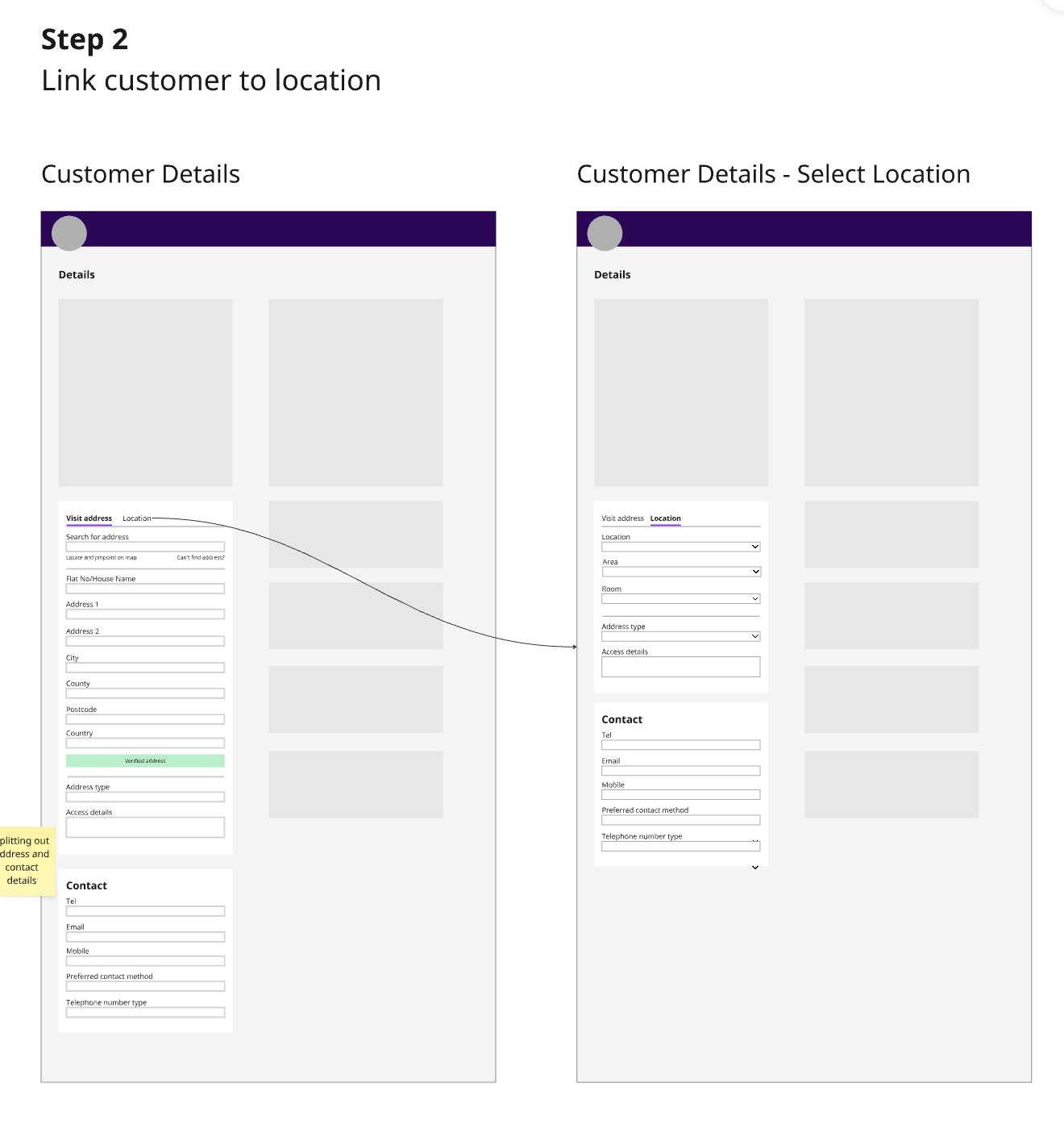
The location based approach was key, linking service users and employees to locations. This approach was welcomed as PASS already an early concept of locations in the web app which we could build on.
Based on the findings it was clear that care planning and schedule required a new approach.
The proposed flow for care planning:
1. Create a location in a dedicated locations area
2. Onboard the service user and choose their location
3. Create their care plan including care windows and associated outcomes and tasks
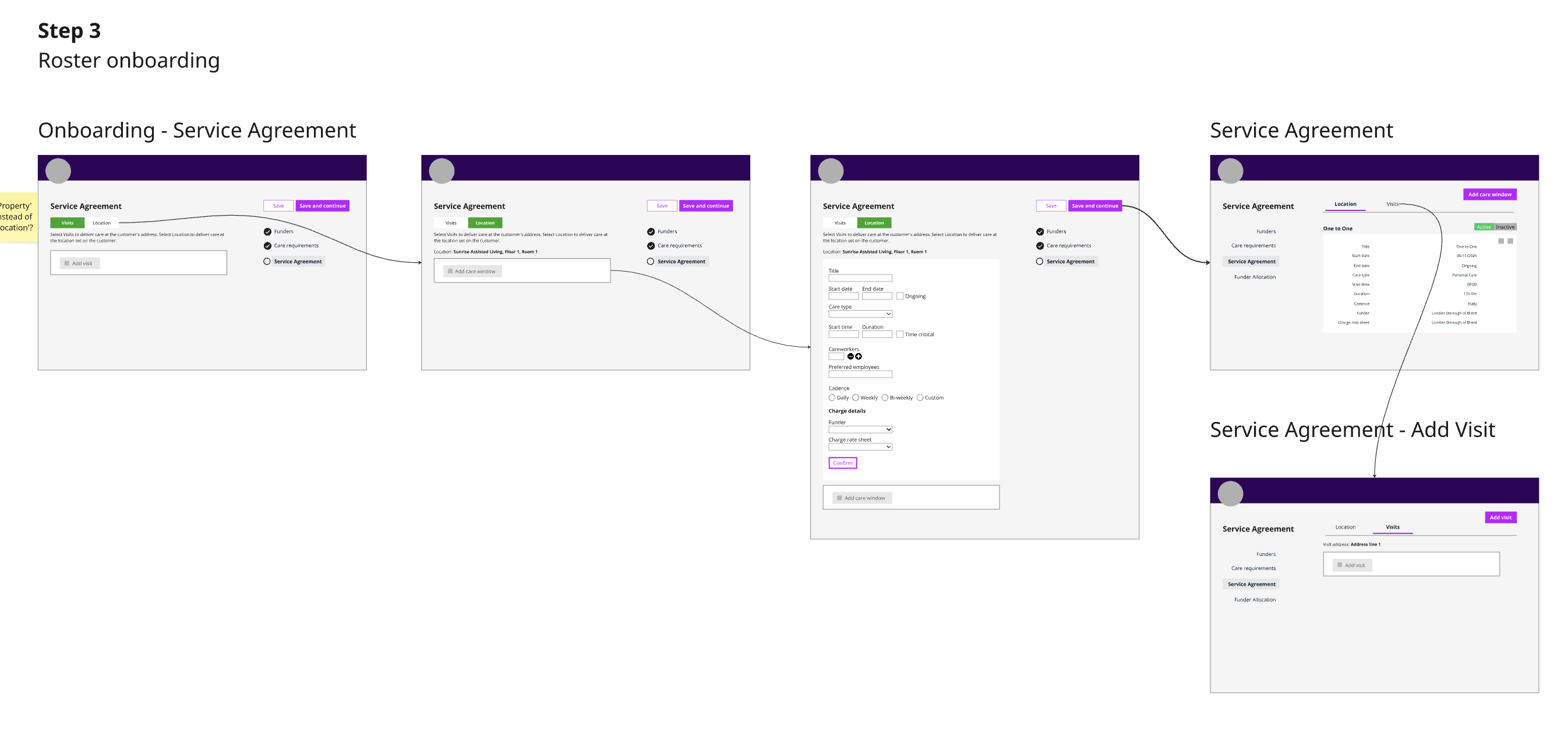
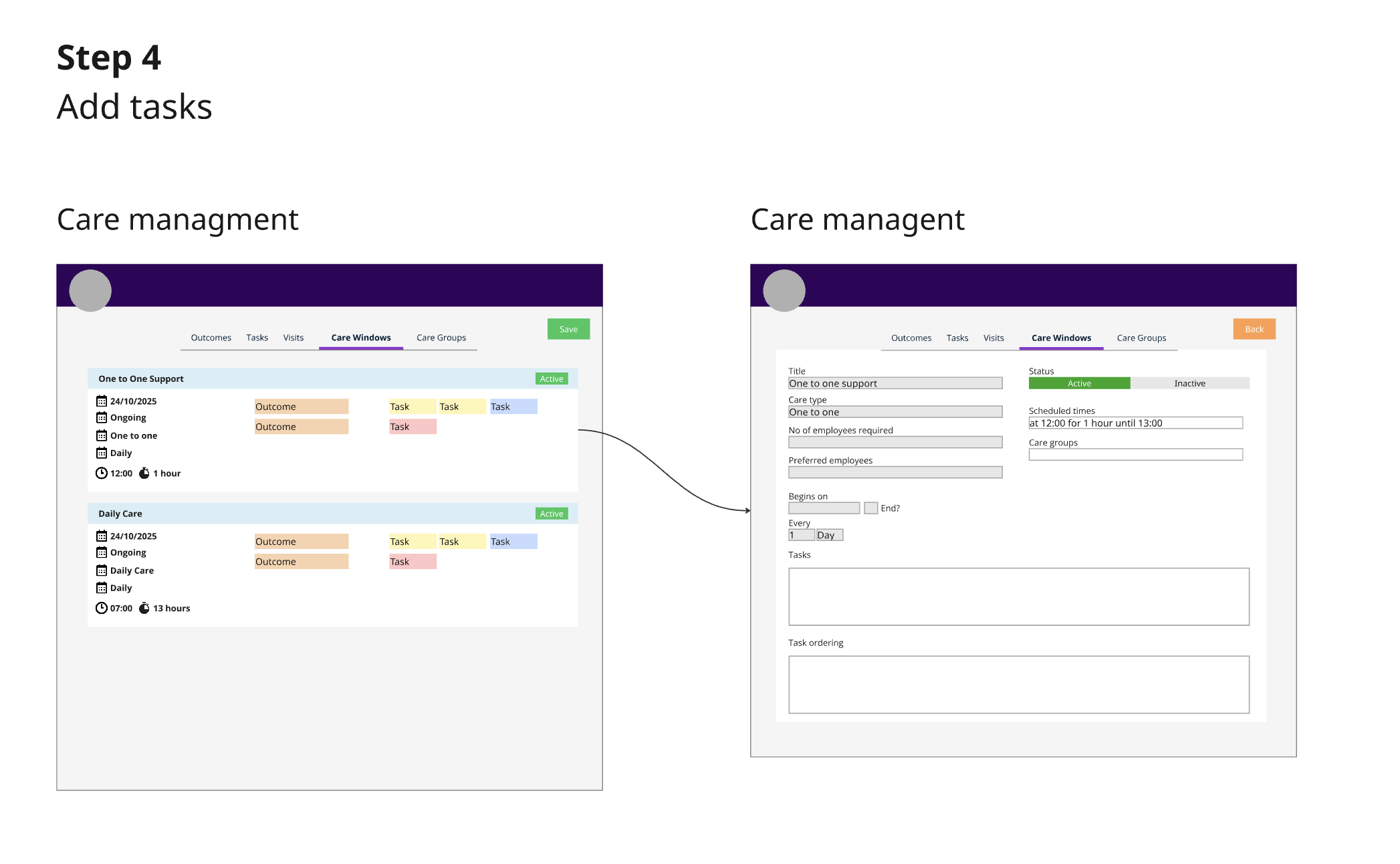
Linking outcomes and tasks to visits no longer applied so we came up with the concept of ‘Care Windows’. Each care window would allow the user to set a start date, time and duration, along with a recurrence pattern. A funder and charge rate option to control the charge.
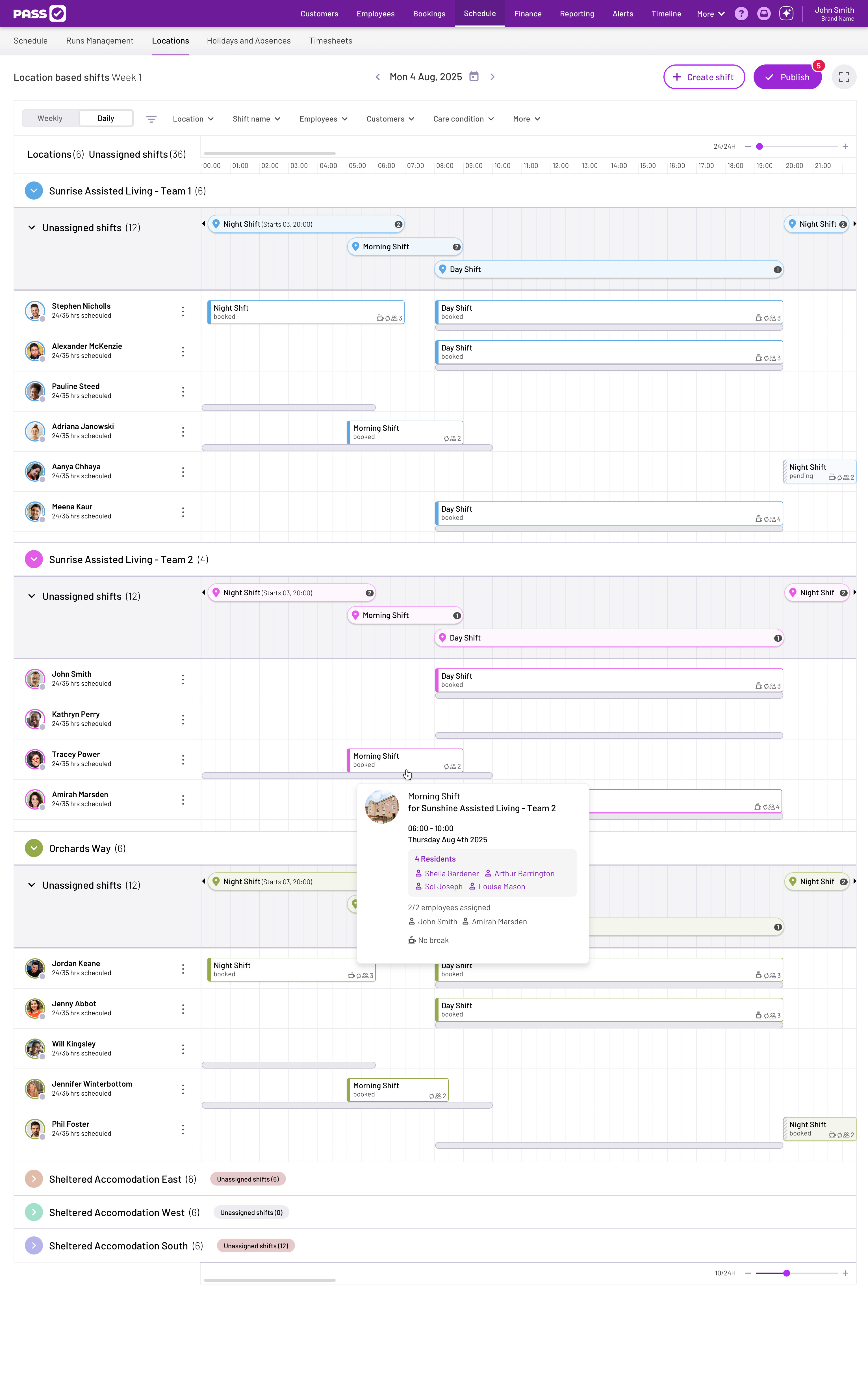
Unlike the current visit orientated schedule, the new schedule would be based on locations. Each location would have their own set of employees and shifts. A location/s would be linked to an employee via their details page.
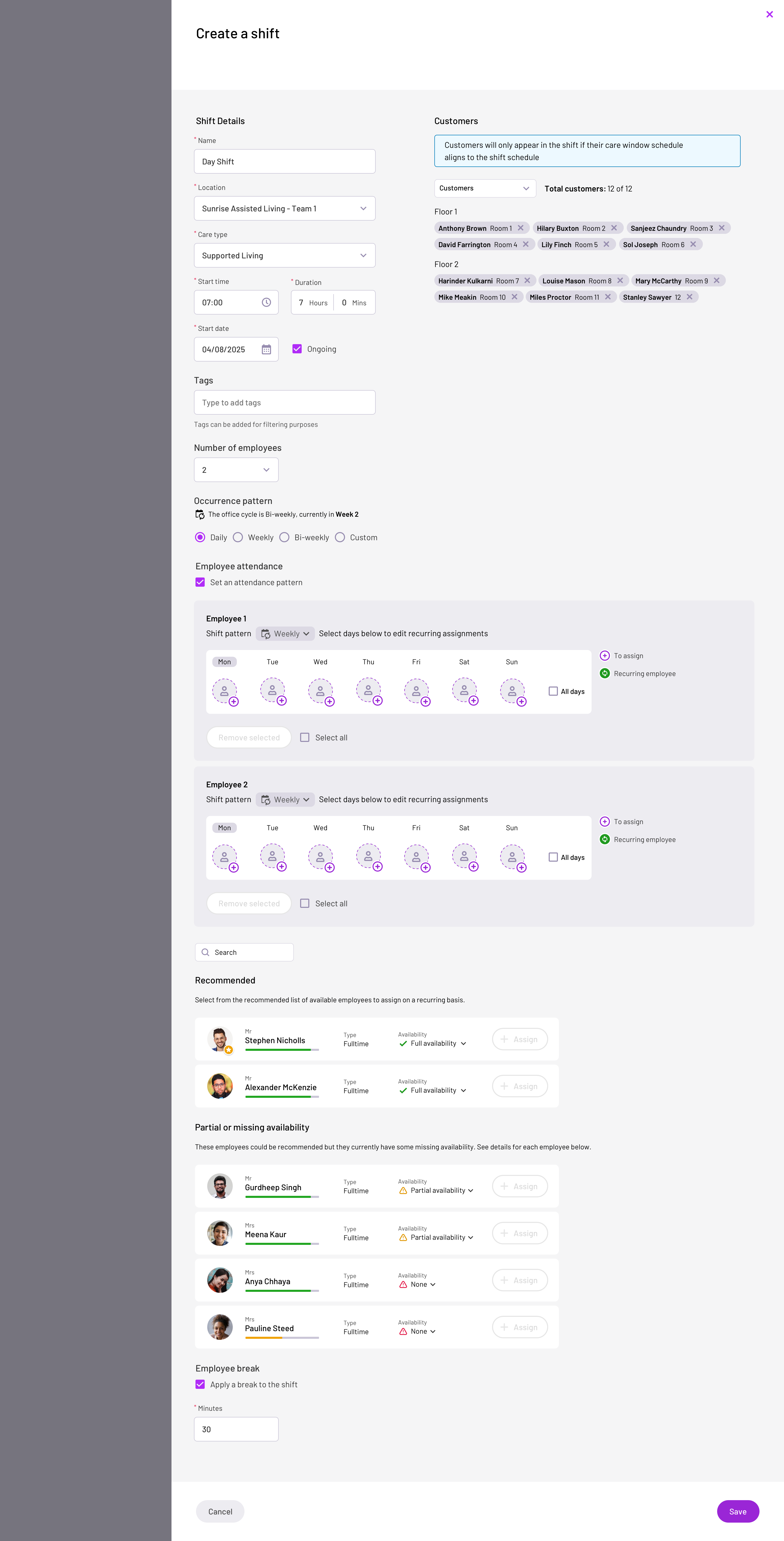
When a shift is created, the Coordinator chooses the location it applies to, the start date, time, duration and recurrence pattern. When selecting a location, the user can see the service users linked to that location including the floor, room and care window information. Where the shift time and recurrence don’t match the service users, the care window will not be included as part of the shift. Once added the shift will appear in the locations unassigned swim lane ready to be allocated.
Instead of tagging into visits the employee would tag into their shift at a particular location. The shift screen show’s all service user care windows, with the ability to assign a service user to complete their tasks. The screen has two views, one showing all the service user care windows and a task view listing all tasks assigned to the employee in chronological order. The employee would be able to see who other service users have assigned. The user would be able to unassign a service users care window (where the user may have a break, or leave due to sickness) and another employee be assigned. All tasks would have to be completed for the assigned employee before they finish their shift.
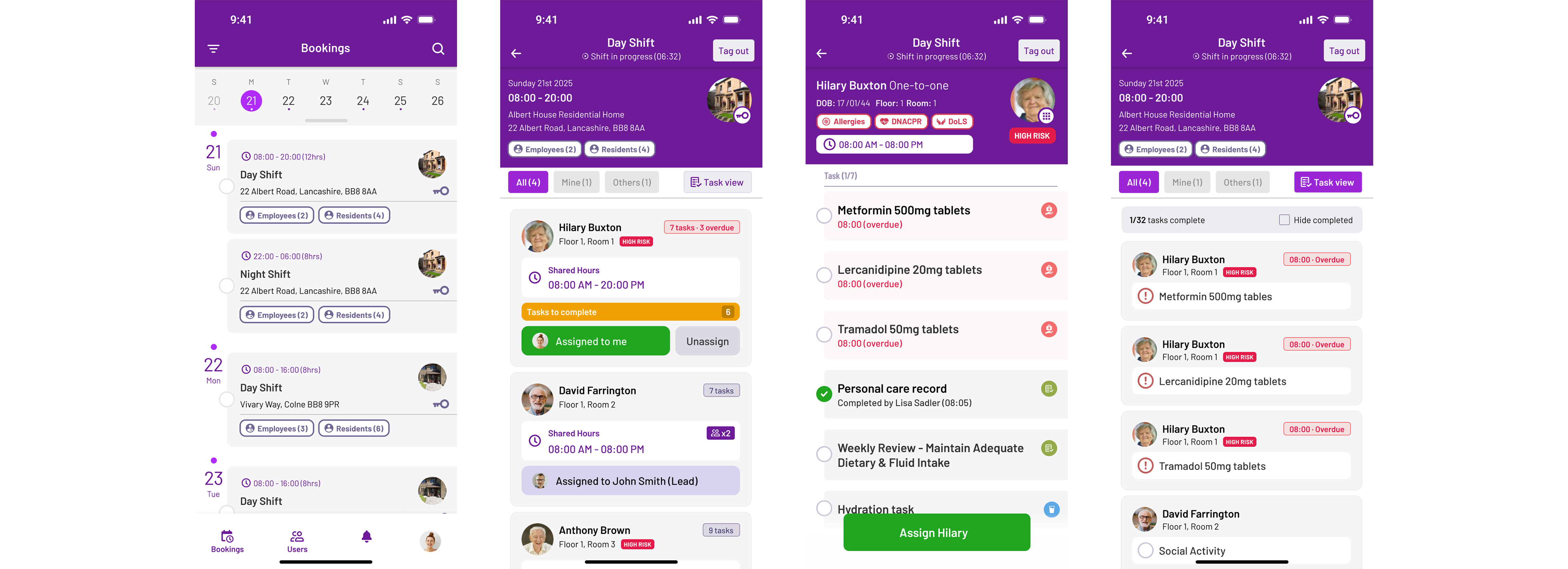
We organised validation sessions with the same customers to present our concepts.
Outcomes:
The overall feedback was positive. Requests and suggestions were implemented based on wider customer feedback. This includes paid/unpaid breaks, client specific care notes, task view and highlighting of overdue tasks.